Showing posts with label Google. Show all posts

Wednesday, 21 August 2013

Delete account Google Android

Assuming that you have an Android Telephone, you link a Google phone account as are described here ' And you want to sell your phone, for example, or you want to cancel the account and put another account or whatever the reasons

1-Open the Settings> Privacy As the picture.

Explain delete a Google account for Android phones

2-Select (Factory data reset) and follow the next step.


Explain delete a Google account for Android phones
Select Reset phone to clear the account and education can Format USB storage to clear the phone's internal memory completely.
Note: If your phone without internal memory such as mobile in Primary category you will not find this option.

Explain delete a Google account for Android phones


Connect account Google Android Telephone

Once the telephone is switched on for the first time will find the following Select next 
Select Next completed for the next step.


Explain the connect Google account for Android phones  
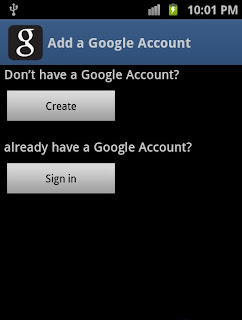
Select Sign in and completed the next step.
.
Note: If you do not have account (Google) Click Create, and be connected to the Internet and do a new account, and then complete the next step.

Explain the connect Google account for Android phones
Write the details of e-mail and password and then click Sign In and wait a bit..

Explain the connect Google account for Android phones
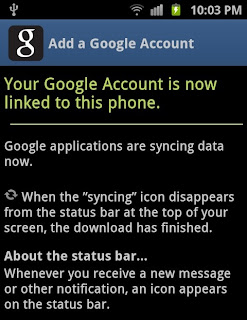
 Congratulations to you, Phone you have now linked to your Google account.